A former employee leaves on good terms, but their key is still on the ring. A contractor finishes a job, yet their temporary code remains active. These are the everyday gaps an office access control guide should help you close before they become a security problem. The right system gives your business control over who can enter, where they can go and when their access ends.
For Canberra offices, warehouses, strata-managed commercial sites and professional practices, access control does not need to be complicated. It needs to suit the building, the people using it and the level of risk you need to manage.
Start with the doors that matter most
Not every door needs the same level of protection. Begin by identifying the entries and internal areas that could create a problem if they were left open or accessed by the wrong person. This commonly includes the main entrance, rear doors, server or communications rooms, stock areas, records rooms, staff-only zones and gates.
Think about how the premises operates after hours as well. If cleaners, delivery drivers or tradespeople need entry outside standard office hours, handing out a shared key is rarely the best long-term option. A system that gives each person their own credential or code makes access easier to manage and easier to review.
The aim is not to make normal work difficult. It is to make sure access is appropriate. Reception staff may need all-day entry through the front door, while only selected managers need access to payroll records or a high-value storage room.
Choose the right office access control system
There is no single best setup for every business. The right option depends on staff numbers, visitor traffic, building layout, budget and whether you need a record of entry events.
Restricted keys and master key systems
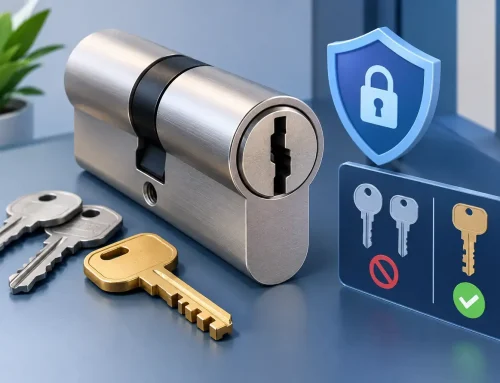
A restricted key system can be a practical starting point for smaller offices. Keys cannot be copied freely, and duplication is controlled through authorised channels. A master key system allows nominated people to open multiple areas while staff keys only open the doors relevant to their role.
This approach is familiar, dependable and does not rely on power or software. The trade-off is that a lost key still needs attention, and it cannot provide an electronic audit trail showing who entered at a particular time. If a key holder leaves without returning their key, rekeying affected locks may be the sensible response.
Keypads, cards and fobs
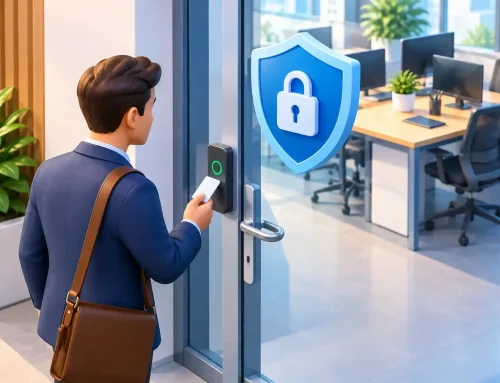
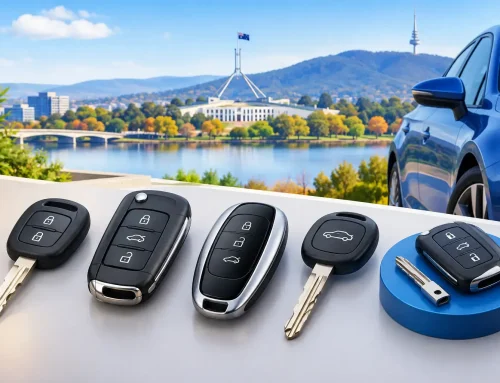
Electronic access systems can use PIN codes, swipe cards, proximity fobs or a combination of these. They are well suited to businesses where staff change regularly, multiple tenants share a site, or different access schedules are required.
A departing employee’s fob can be removed from the system without replacing every lock. Temporary credentials can be created for a contractor, then set to expire once the work is complete. This can save considerable time compared with collecting and replacing physical keys.
PIN-only systems are convenient but need good management. Codes should not be shared across the whole team or left written near the door. Individual codes create better accountability, particularly for after-hours access.
Mobile and higher-security credentials
Some workplaces prefer access through a mobile credential, while sites with sensitive information or valuable goods may use biometric verification alongside another method. These options can be useful, but they are not automatically necessary.
More technology means more features, but it can also mean more administration, power requirements and support considerations. A small office with five trusted staff may be better served by restricted keys and a well-managed alarm system than an expensive platform with functions it will never use.
Plan access around people, not job titles alone
Access permissions should reflect what a person genuinely needs to do, rather than being granted broadly for convenience. A simple way to approach this is to group access by role and working hours. For example, administration staff might have weekday access to the main office, while managers have additional entry to storage and alarm areas.
Review this arrangement whenever a staff member changes roles, moves departments, takes extended leave or leaves the business. The exit process should include collecting keys, cancelling cards and fobs, deleting mobile credentials and changing individual PINs. It is a small administrative task that prevents a common security weakness.
Visitors need a separate plan. If clients regularly arrive at reception, a controlled front entry and clear sign-in process may be enough. If tradespeople or delivery drivers need independent access, give them a limited credential rather than a staff member’s key or code. Set a clear expiry time and remove access once the work is complete.
Do not overlook the door hardware
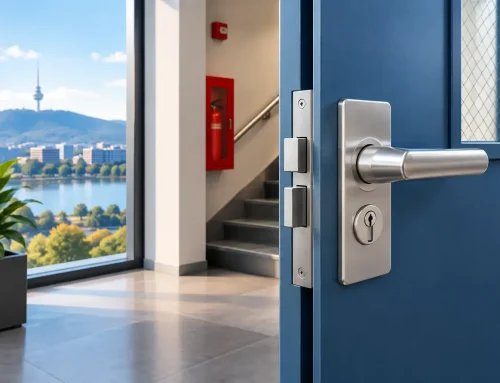
Electronic access control is only as effective as the door, frame, lock and closer supporting it. A high-quality reader will not help if the door can be forced, propped open or fails to latch properly.
Before installing an access system, inspect the full opening. Check whether the door closes and latches every time, whether hinges and frames are secure, and whether fire safety requirements affect the type of lock that can be fitted. Emergency exits must always allow safe egress from inside, even where entry from outside is controlled.
This is where professional advice matters. Commercial doors vary greatly, from aluminium shopfronts and glass doors to solid timber office doors, metal fire doors and warehouse roller doors. The locking solution must suit the door construction and its purpose, not just the access reader chosen for the wall beside it.
Build in a plan for power failures and emergencies
Ask a practical question before selecting any electronic system: what happens if the power goes out? Depending on the door and safety requirements, an electric lock may be configured to remain locked or release when power is lost. Neither option is right in every location.
A front office door might need controlled entry during a power interruption, while an emergency path must allow people to leave safely. Battery backup, mechanical key override and clearly documented emergency procedures can make the difference between a manageable outage and a disrupted workday.
Also decide who can respond if someone is locked out after hours. Keep authorised contacts current and avoid leaving a master key or override key in an obvious hiding place. A fully licensed locksmith can assess the hardware and provide sensible options for emergency access without compromising day-to-day security.
Keep records, but keep administration simple
An access log can be useful when managing a larger site, investigating an incident or confirming after-hours attendance. It should be treated as one part of your security process, not a replacement for supervision, alarms or good staff procedures.
Assign one or two responsible people to manage the system. They should know how to add and remove users, issue temporary access, respond to a lost credential and arrange service if a lock or reader fails. Keep a current register of issued keys, fobs and cards, including serial numbers where available.
For smaller teams, this may be a straightforward spreadsheet and a clear key-sign-out process. For multi-site businesses or properties with many occupants, a more detailed electronic system can reduce manual work. The important thing is choosing an approach your team will actually maintain.
When to upgrade your office access control
It may be time to review your setup if keys have been lost repeatedly, staff numbers have grown, tenants have changed, an attempted break-in has occurred or nobody can say who still has access. A move to a new office is another ideal time to rekey locks or install a system before old habits develop.
Night & Day Locksmiths can help Canberra businesses assess existing locks, restricted key arrangements, master key systems and electronic access options. The most useful recommendation is usually the one that addresses the real risks without adding unnecessary complexity or cost.
A well-planned system should make the working day easier, not turn every door into an obstacle. Start with the doors and people that matter most, keep access permissions current, and make sure the hardware will perform when your business needs it to.