A former employee still has a key. A contractor needs access before opening hours. A staff member is left standing at a locked door after a late shift. These are everyday problems, but they can quickly become security risks. Access control systems for small business give owners a clear, practical way to decide who can enter, where they can go and when access should stop.
For a small business, security should make the working day easier, not create more admin. The right setup protects staff, stock, equipment and confidential information while giving you control without constantly chasing keys. The best option depends on your premises, team size, opening hours and the level of risk in each area.
What an access control system actually does
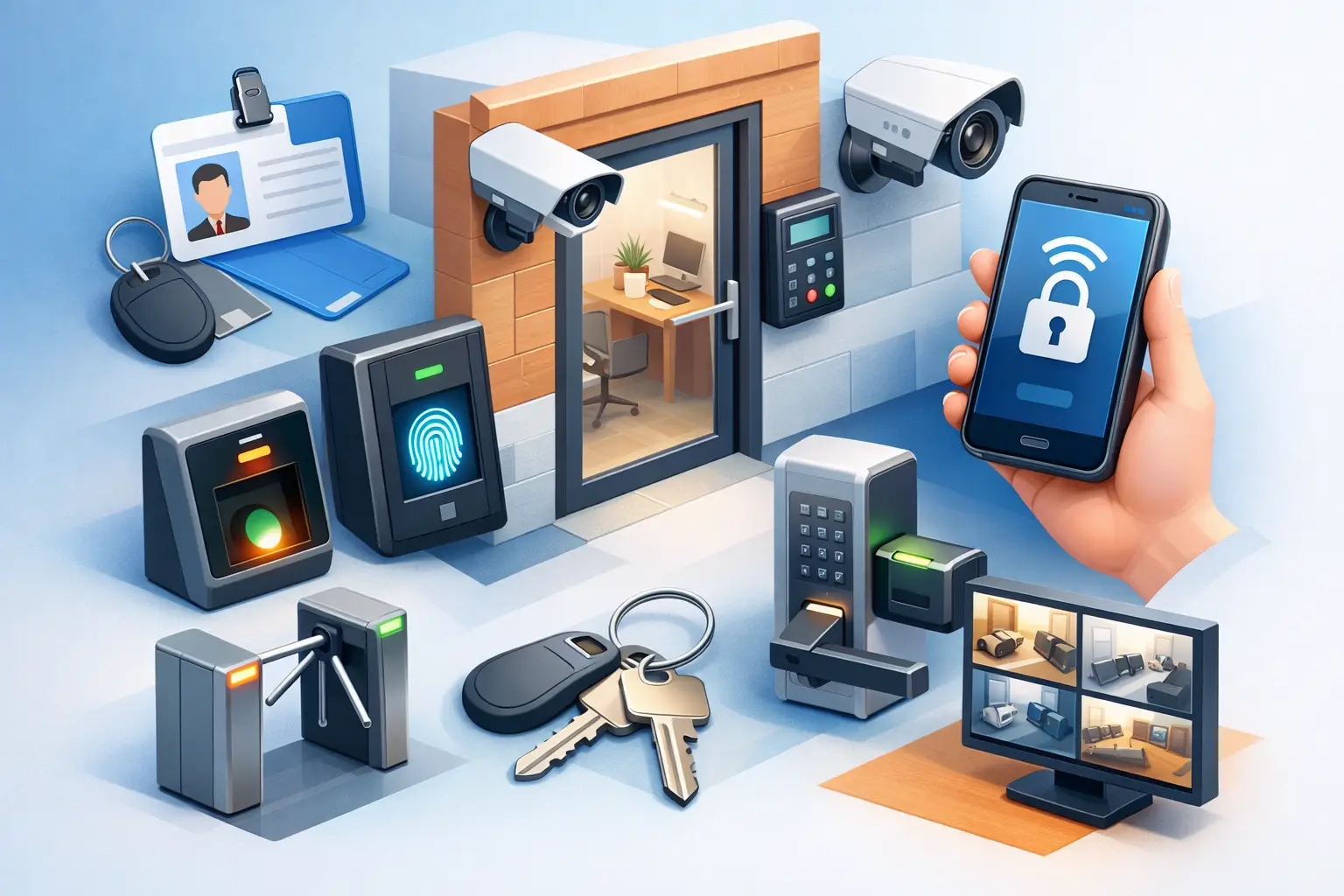
Access control is any system that manages entry to a building, room, gate or secure area. It can be as straightforward as a restricted key system, or as flexible as electronic doors operated by cards, fobs, PIN codes or mobile credentials.
Instead of every person holding the same physical key, access can be assigned according to their role. A receptionist may enter the front office during business hours, while a manager can also access the stockroom, alarm panel and rear door. Cleaners or trades can be given limited access at particular times rather than an unrestricted key that may be copied or retained.
Electronic systems can also create an activity record. That does not mean watching staff unnecessarily. It means you have useful information if a door is left unsecured, a key credential is used outside approved hours, or an incident needs to be investigated.
Why small businesses benefit from controlled access
Many small businesses begin with a standard key arrangement because it is familiar and affordable. That can work for a very small team in a low-risk premises. The trouble starts when keys are shared, copied without approval, lost, or not returned when someone leaves.
Changing locks after every staff change is inconvenient and can become costly. If you do not know how many keys are in circulation, you cannot be certain who can enter your premises. Restricted keys and electronic credentials provide a more controlled alternative.
Access control also supports safer routines. A staff member finishing late should not need to prop open a door for a colleague. A business owner should not have to drive across Canberra simply because a contractor needs a key. When permissions are planned properly, people get the access they need without weakening the security of the whole site.
For some businesses, the priority is protecting high-value stock. For others, it is safeguarding client files, medication, tools, server equipment or staff-only areas. Access control lets you protect the spaces that matter most rather than treating every door the same.
Types of access control systems for small business
There is no single system that suits every workplace. A good security assessment starts with how people move through your property, not with the most complicated technology available.
Restricted key systems
A restricted key system is often the right starting point for a small office, shop, workshop or strata-managed property. These keys are designed to be harder to duplicate without authorisation, giving the business more control over copies.
Restricted keys are reliable, simple to use and do not require power or software. They are particularly useful for businesses that want improved key control without installing electronic hardware on every door. A master key system can also be designed so managers can access multiple areas while staff keys only open approved doors.
The trade-off is that a lost key may still require a lock change or rekeying, depending on the circumstances. There is also no entry history, so a restricted key system is best where physical control is the main requirement.
Keypad, card and fob access
Electronic access control uses a keypad, proximity card, fob or tag to release a door. Credentials can be removed when a staff member leaves, avoiding the need to recover every key or change the lock immediately.
Keypads suit areas where several authorised people need access but do not need individual activity records. The code should be changed regularly and whenever a staff member with knowledge of it leaves. Cards and fobs offer better individual accountability because each person can have their own credential.
This approach works well for offices with staff-only doors, warehouses, medical and professional practices, gyms, storage areas and shared commercial buildings. It can also be programmed around operating hours, helping prevent unauthorised access after closing.
Mobile and networked access
Mobile credentials and networked systems offer more flexibility for businesses with multiple doors, sites or changing staff arrangements. Permissions can often be managed from a central platform, and temporary access can be issued for contractors or short-term workers.
This can be very useful, but it is not automatically the best choice for every small business. Networked systems need reliable installation, sensible user management and ongoing support. Consider what happens during a power outage, internet disruption or a lost mobile. A professionally specified system should include appropriate backup arrangements and safe exit options.
Start with the doors and people that matter most
Before choosing hardware, map out your premises. Identify external entry points, rear doors, roller doors, internal offices, stockrooms, server cupboards, plant rooms and any area where cash, tools or sensitive records are kept.
Then consider who genuinely needs access. Owners and managers usually need broad access, but casual staff, delivery drivers, cleaners and contractors may only need entry to certain places and at certain times. Giving everyone unrestricted access may feel convenient at first, yet it leaves you with less control when circumstances change.
It helps to ask a few practical questions:
- What would happen if this key, fob or code was lost or shared?
- Which doors need an audit trail, and which simply need better key control?
- Do staff need access outside normal business hours?
- Will the system need to work with gates, alarms, intercoms or existing doors?
- Who will add and remove users when staffing changes?
The answers often point to a mixed setup. For example, a restricted master key system may suit most doors, while electronic card access protects the rear entry and stockroom. That is often more cost-effective than installing electronic hardware everywhere.
Do not overlook the door itself
An access reader is only one part of security. A weak door, poorly fitted frame, damaged closer or basic lock can undermine an otherwise good system. Commercial access control should be assessed alongside the door hardware, strike or latch, hinges, emergency egress requirements and the way the door is used during busy periods.
Fire safety and safe exit are essential. People must be able to leave safely in an emergency, and any changes to doors should be appropriate for the building and its requirements. This is one reason a proper site inspection matters more than buying a generic kit and hoping it fits.
For businesses handling personal information, it is also sensible to think about privacy. If the system records entry events, limit access to those records, explain the purpose to staff and avoid collecting more information than the business needs.
Managing access is where security succeeds or fails
Even the right system can lose value if no one manages it. Set a simple procedure for issuing credentials, recording who has them and removing access immediately when employment or a contract ends. Review permissions periodically, especially after a restructure, tenancy change or new alarm installation.
Avoid shared PINs where individual accountability matters. Keep a clear process for lost cards, fobs and keys, so staff know who to contact and what happens next. If a manager leaves unexpectedly, act promptly: remove electronic credentials, change known codes and review access to restricted keys.
A small access register can prevent major uncertainty later. It should record the credential holder, issue date, areas they can access and return date where relevant. For a larger team or premises with higher-risk areas, the access control platform can handle much of this record keeping.
Choosing an installer and planning the job
The lowest quote is not always the lowest long-term cost. Ask whether the proposed system suits your doors, whether replacement credentials are readily available, how user changes are handled and what support is available if a door fails after hours.
A licensed, experienced locksmith can assess the existing locking hardware as well as the access system itself. That wider view matters when you need restricted keys, master keying, electronic access and emergency lock support to work together. For Canberra businesses, Night & Day Locksmiths can assess practical access options and help build a system around the way your premises actually operates.
Start with the entry points that create the greatest risk or daily inconvenience. A well-planned system on two critical doors is more useful than an overcomplicated installation that nobody understands. When access is clear, controlled and easy to manage, your team can get on with work knowing the premises are better protected.